
Sapienza University of Rome · Faculty of Letters and Philosophy
Find your classroom, even where GPS cannot reach.
NavIndoor takes you right to the classroom door, step by step. Find a room, see today's lessons and follow the directions on screen, by voice and by vibration. It's designed for everyone, including people who are blind or have low vision.
Coming soon to
- App Store
- Google Play
At a glance
- iPhone and Android
- Works without a connection
- Easy to use without sight
- No account
Video
See NavIndoor in 2 minutes
A short presentation of the app. The text on screen follows the voice.
Transcript
GPS takes you as far as the university's
front door, and there it says goodbye.
Inside, the signal doesn't reach,
every corridor looks the same,
and signs only help
those who can read them.
NavIndoor.
Sapienza University of Rome, Faculty of Letters and Philosophy.
It comes in with you and talks to you.
No beacons. No Wi-Fi.
Just your phone.
It counts your steps,
knows which way you're heading
and even notices
when you change floor.
Meanwhile it makes five thousand guesses
about where you might be.
The ones that remain close in
around you: you are here.
All you do is choose
your degree course.
From then on, your next lecture
finds you.
Tap Directions,
then Start,
and it takes you from one room to the next
without reading a single sign.
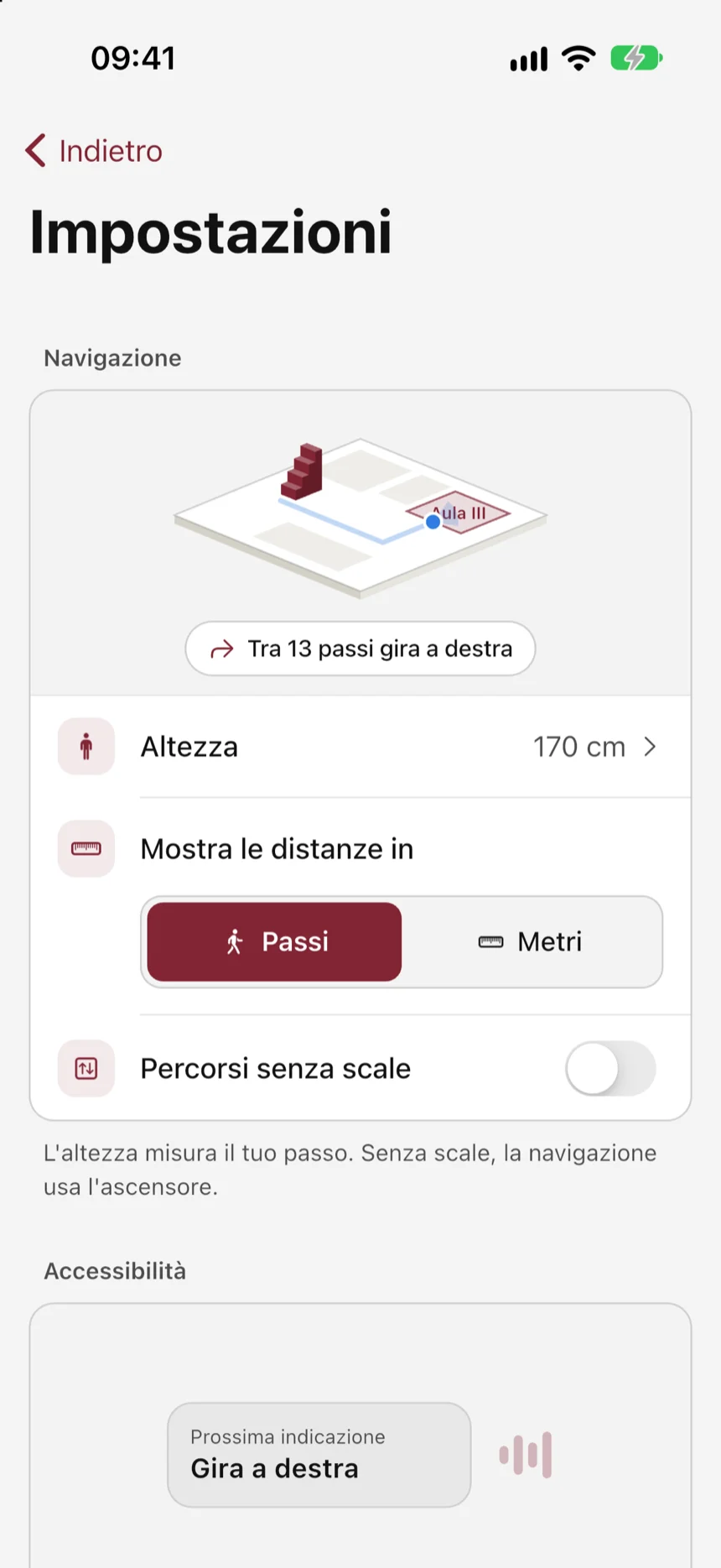
The guide talks to you and gives distances
by counting your steps:
"In 20 steps, turn left."
Before each instruction the phone vibrates,
so you know it's about to speak.
Accessibility:
not an add-on, the starting point.
Step-free routes:
navigation uses the lift.
Steep ramps:
"You'll come to a steep ramp."
VoiceOver and TalkBack:
if one is on, the guide speaks through it.
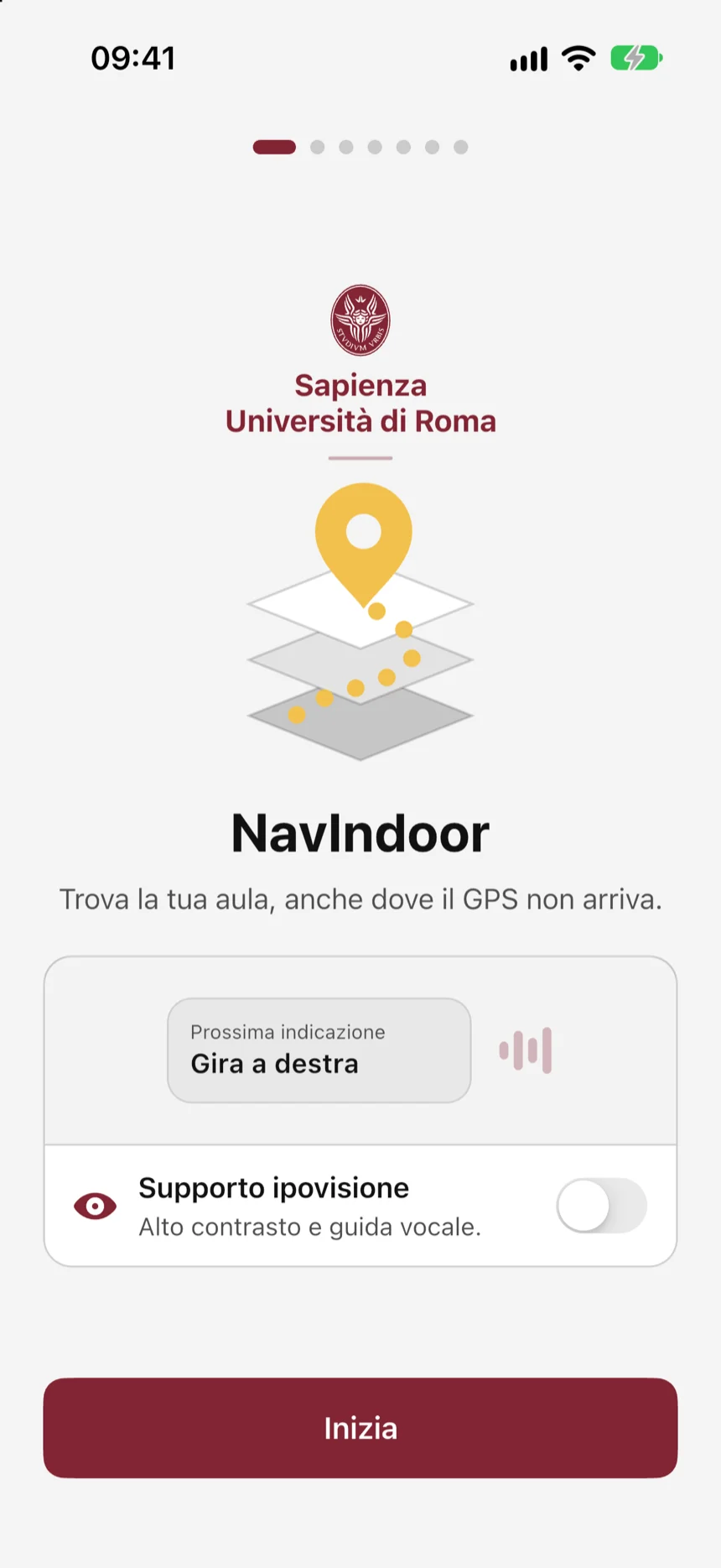
Low-vision support:
high contrast and voice guidance.
The signal stops at the front door.
You don't.
NavIndoor.
Find your classroom, even where GPS cannot reach.
01The project
What is NavIndoor
NavIndoor helps students, staff and visitors find their way around the Faculty of Letters and Philosophy at Sapienza: four buildings in an old, crowded part of Rome. Inside buildings, GPS doesn't work well. Finding a classroom or an office used to mean paper maps, signs or asking someone.
NavIndoor needs nothing installed in the buildings. All it takes is your phone and maps of the buildings, drawn room by room.
Today the app does much more: it finds a room even if you ask out loud, tells you which lessons are on and how busy a room is, guides you to the door and shows the next step even when your phone is locked. And it can serve more than one university, each with its own colours and icon.
- buildings on the map
- 4buildings on the map
- systems, iPhone and Android
- 2systems, iPhone and Android
- languages, Italian and English
- 2languages, Italian and English
02What it does
Everything you need to get to class.
02.01Map and search
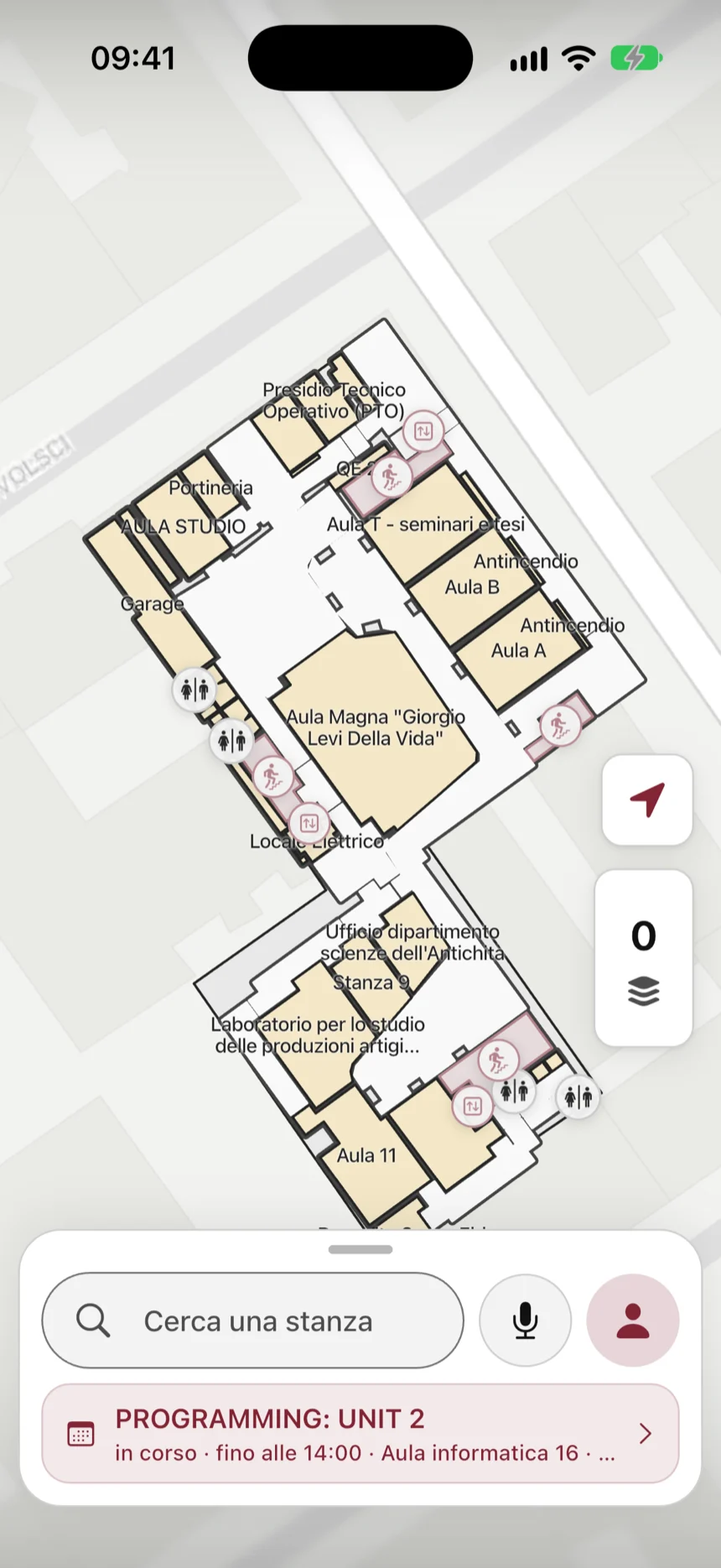
Every floor, every room. Even offline.
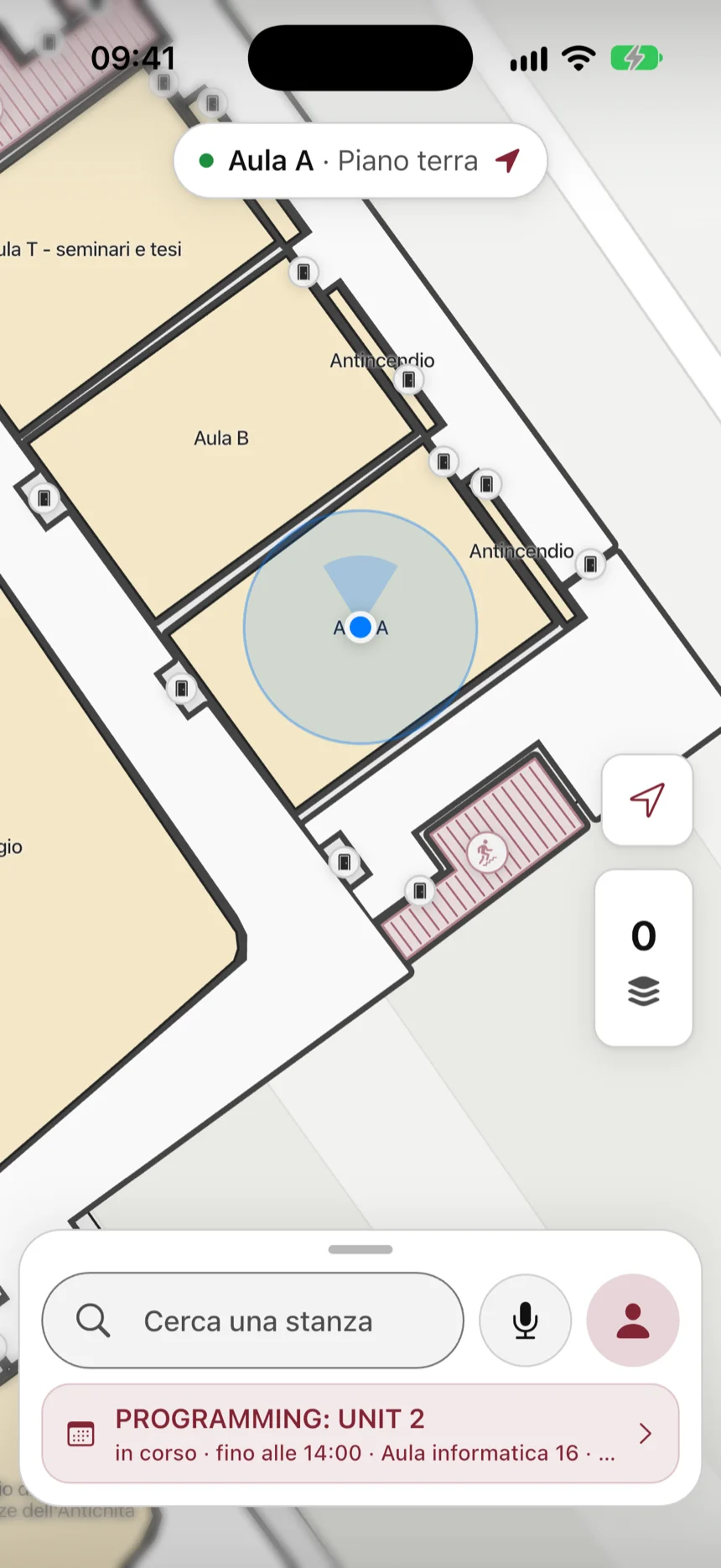
See the buildings floor by floor, and where you are. If you like, tap “I'm here” on a room to say so yourself. Once the maps are downloaded, the app works without a connection, and tells you when you're offline.
- Type the room's name, or hold the microphone and say it.
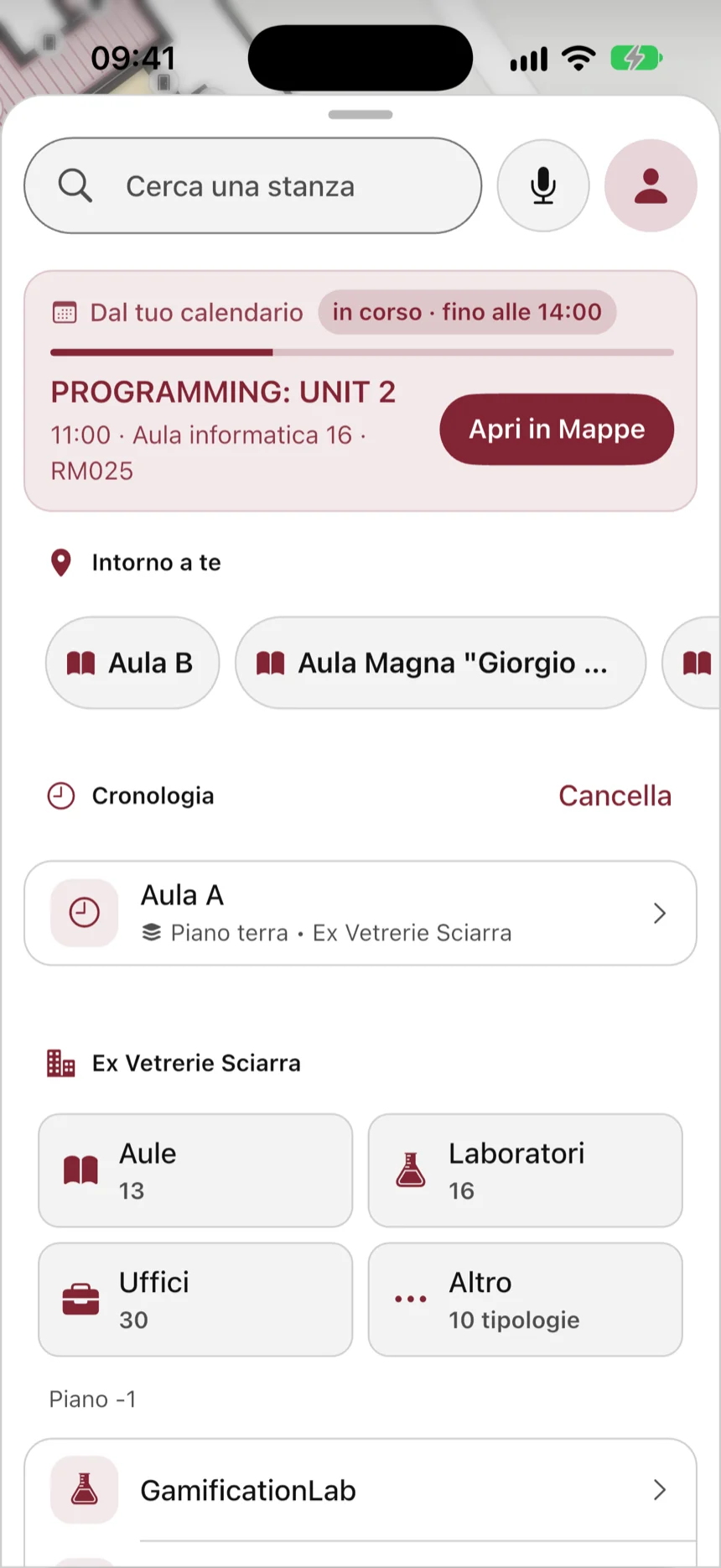
- “Around you” shows the nearest rooms and, if you use a screen reader, tells you which way they are.
- Star the rooms you use often and find your recent searches.
- Browse rooms by building and by type.
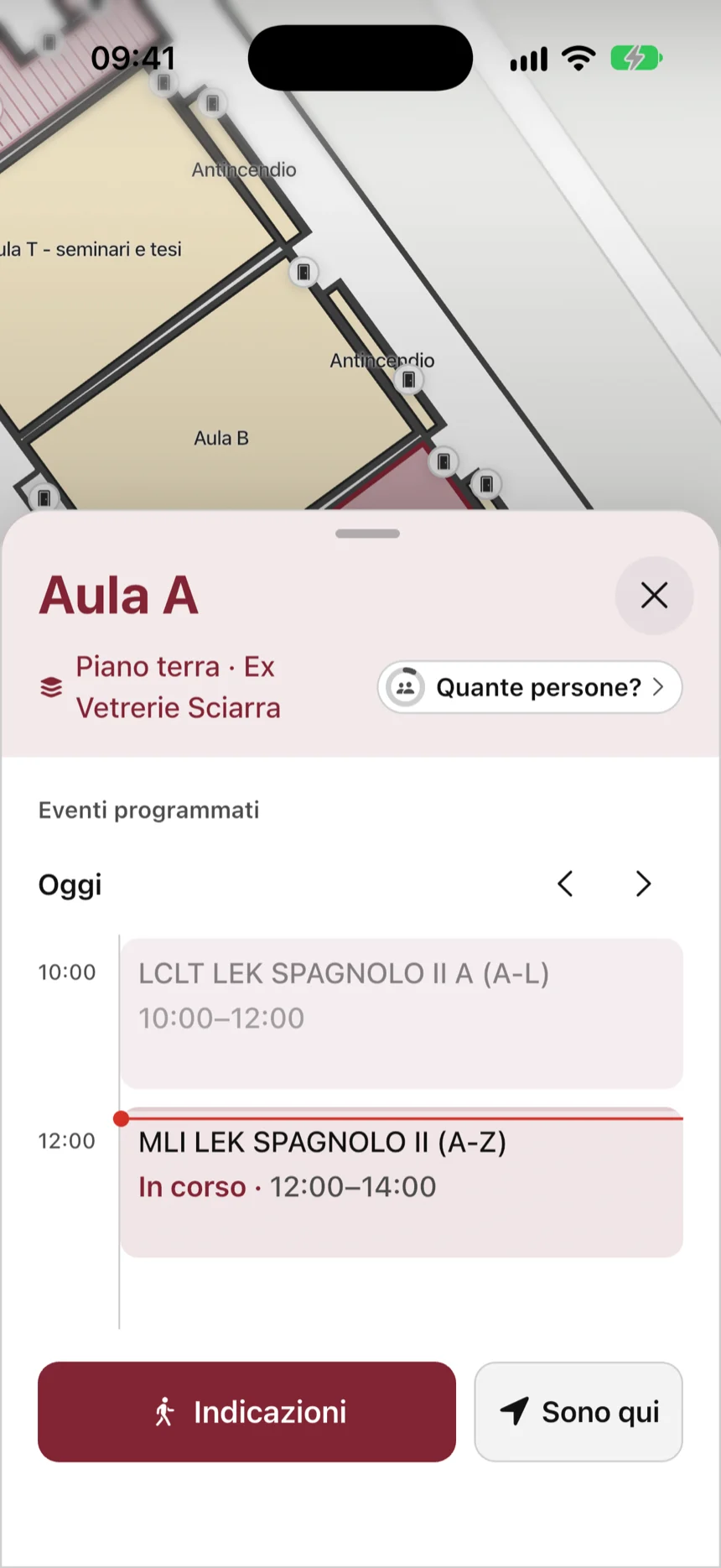
02.02Room card
Know what's on in a room before you get there.
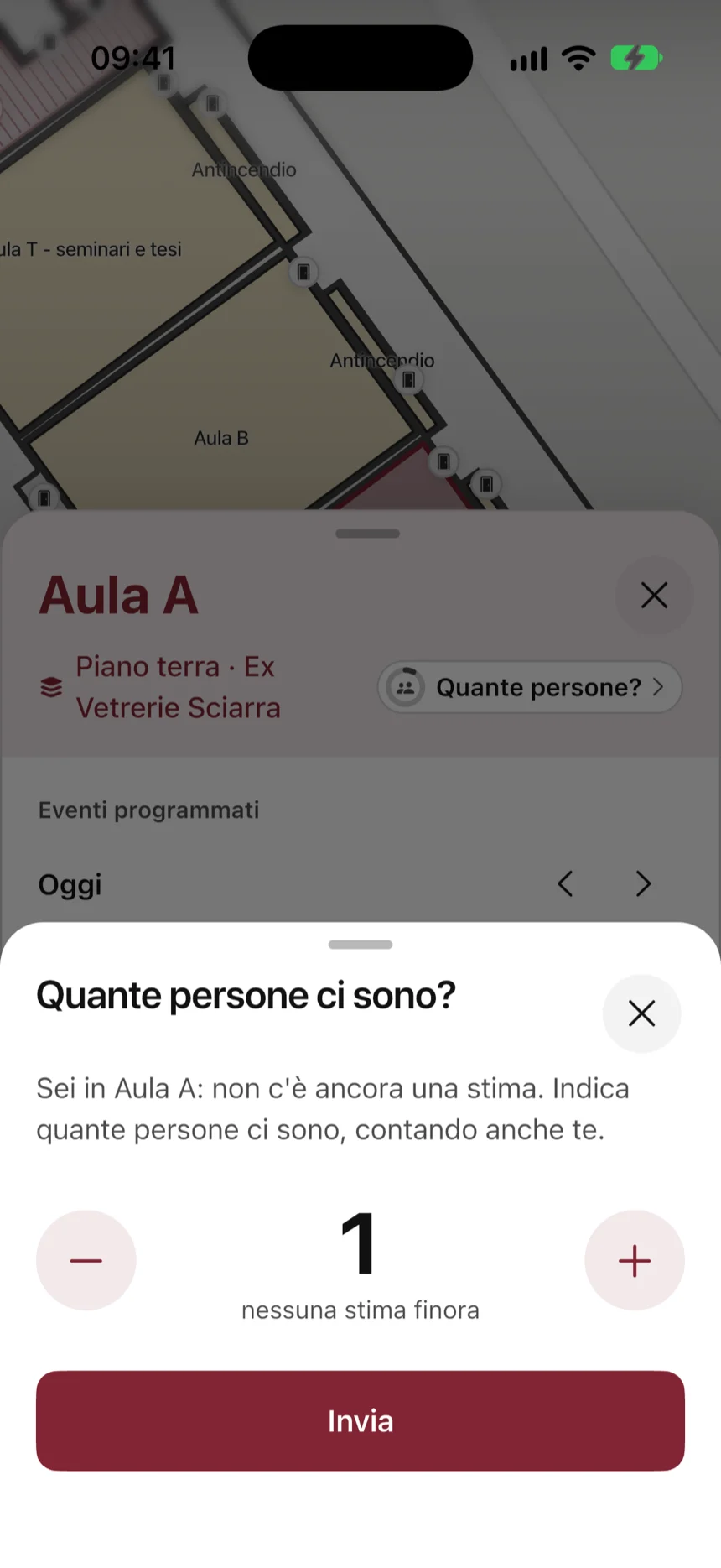
Tap a room: see today's lessons, including the ones that are over, and look back at earlier days. You also see how busy it is: the app estimates it anonymously.
- If you're in the room, you can say how many people are there.
- Send a room to someone with a link.
- Something wrong? “Report a problem” prepares an email with the room's details.
02.03Step-by-step guidance
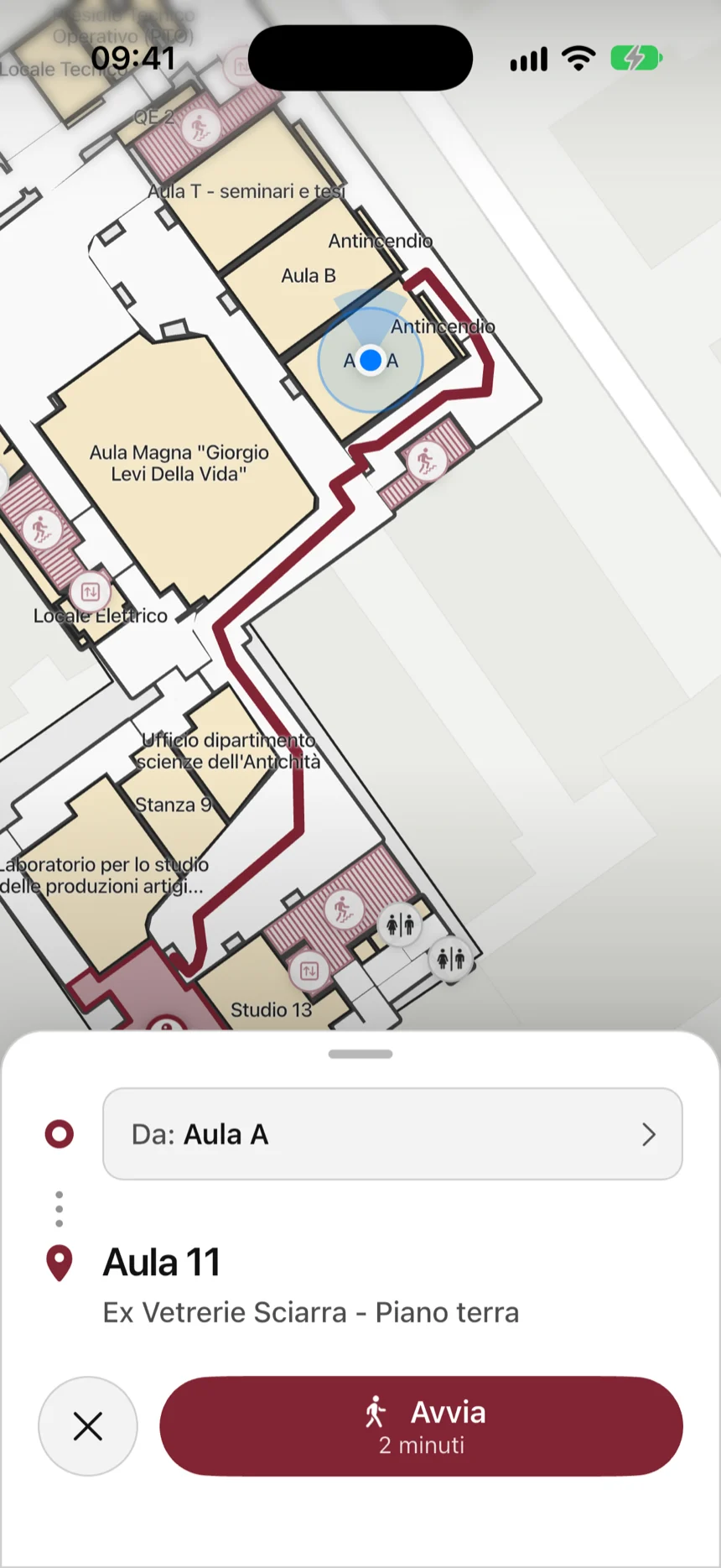
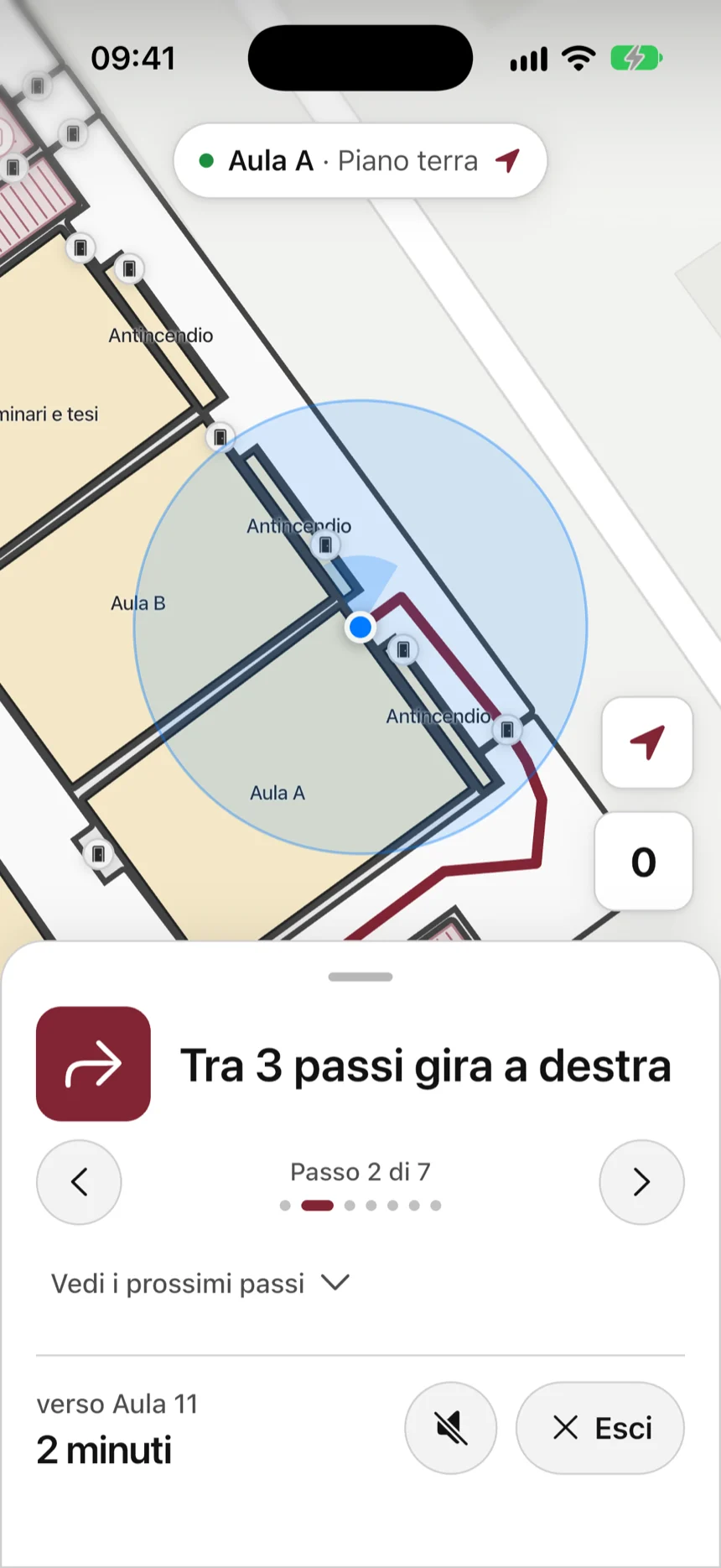
Directions to see, hear and feel.
One direction at a time, with a clear icon and the time left. A voice tells you what to do, and the phone vibrates differently for each thing: a turn, stairs, a lift, arriving, going the wrong way.
- If you take a wrong turn, the app tells you and finds the way again with one tap.
- If you need it, it finds a route without stairs.
- For outdoor stretches it hands over to Apple Maps or Google Maps.
- The screen stays on until you arrive.
02.04Your lessons
Your lessons, and the way to them.
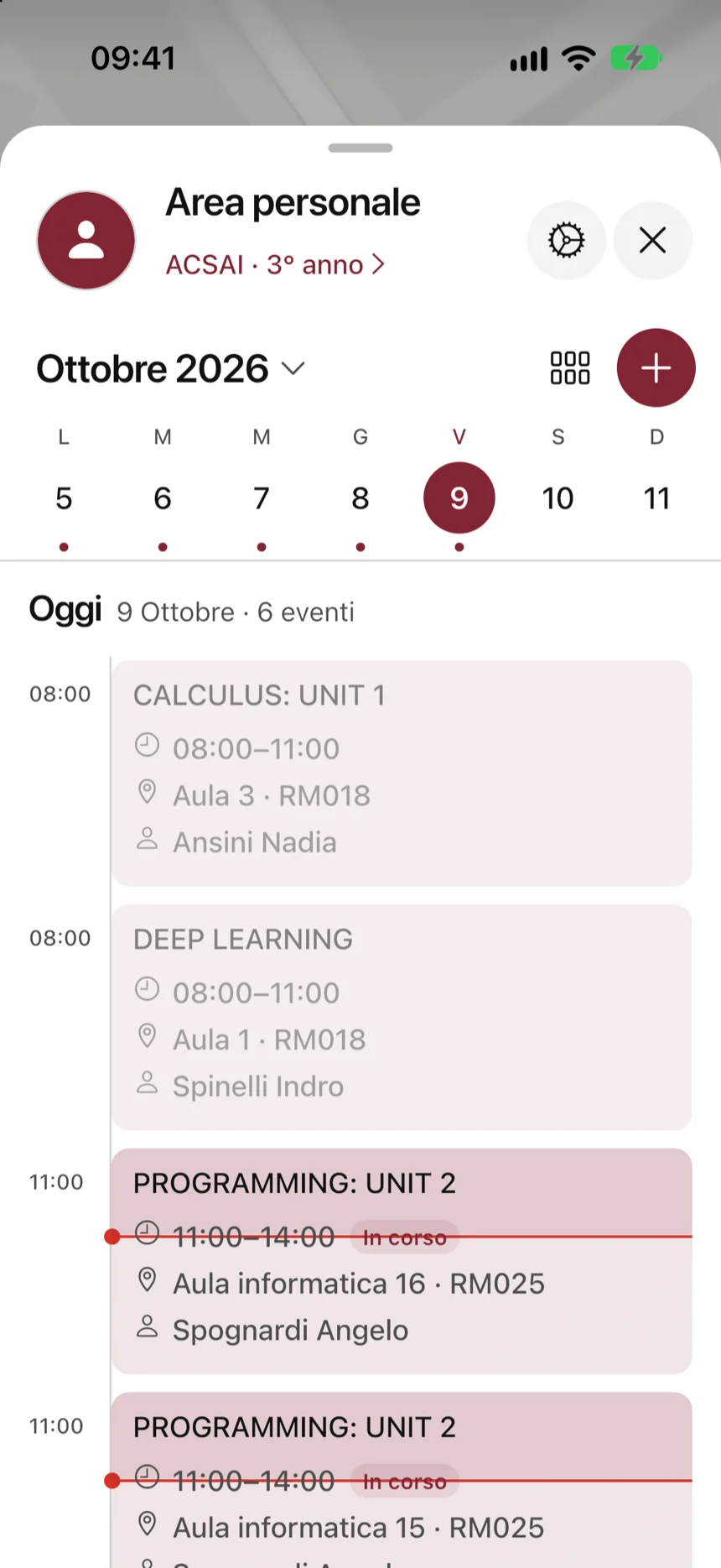
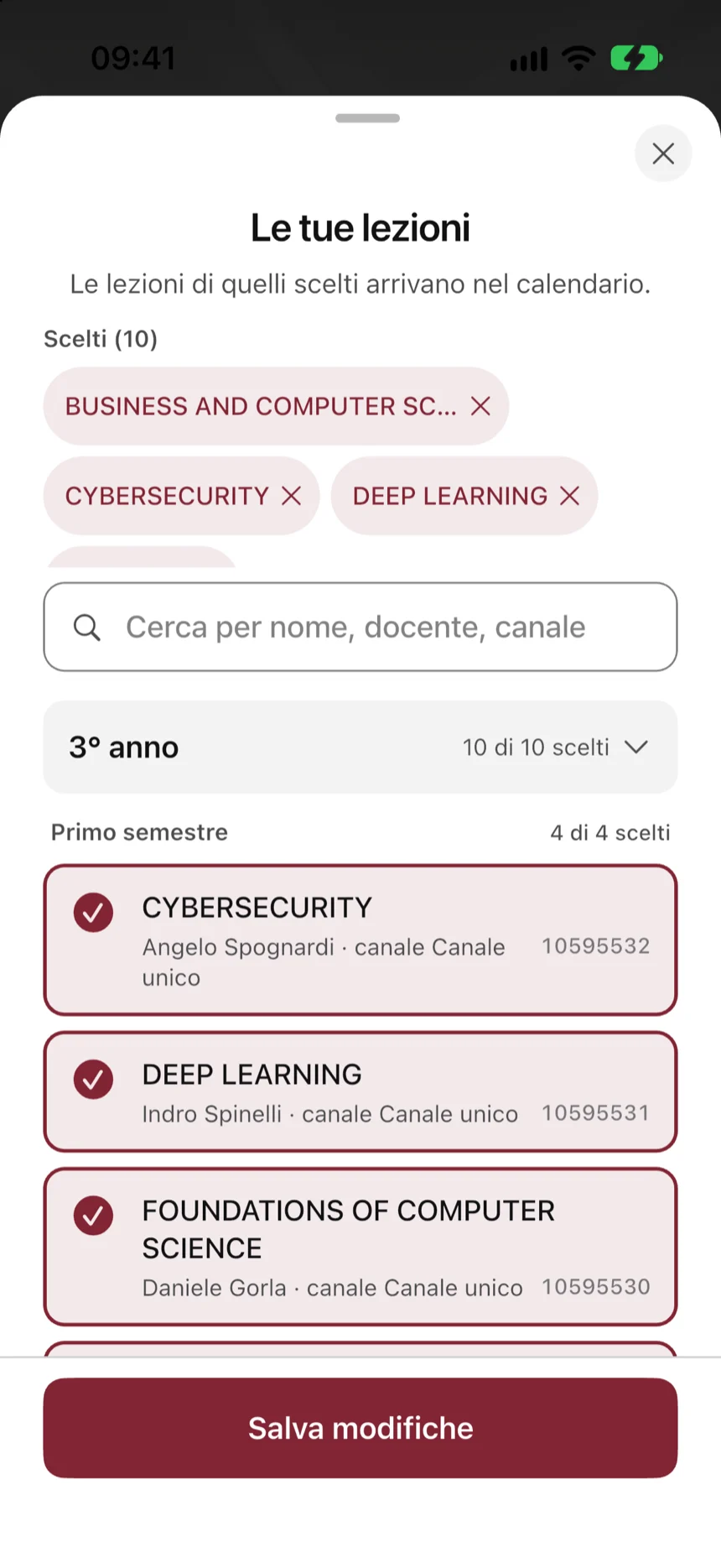
Pick your course, your year and the lessons you follow. The calendar shows what you have today and in the days ahead.
- “From your calendar” shows your next lesson and takes you to the room.
- If you like, your lessons also appear in your phone's calendar.
- A “Leave now” reminder tells you when to set off to arrive on time.
02.05For everyone
Easy to use even without seeing the screen.
It works with the screen readers on iPhone and Android. If you have low vision, you can have bigger text and stronger colours. There's a dark theme and several colour choices, and the buttons are big and easy to tap.
- Spoken directions and a different vibration for each turn.
- Colours that are easy to read.
- In Italian and English, and more languages can be added.
03How to use it
Four steps, and you're in class.
Nothing has to be installed in the buildings: your phone is enough.
- 01
Download the maps
The first time, the app downloads your university's maps. After that it works without a connection too.
- 02
The app knows where you are
It follows your steps and notices when you change floor. If you prefer, tap “I'm here”.
- 03
Search or ask
Type a room's name, or say it, in Italian or English.
- 04
Follow the directions
One step at a time: on screen, by voice, by vibration and even with your phone locked.
04Who makes it
A Gamification Lab project.
NavIndoor comes from the Gamification Lab, Department of Computer Science, Sapienza University of Rome.